A TF2 Newbs Guide to Halloween Event Maps
Posted on: October 22nd, 2014 by ObeyThe following blogpost is a guide about the many Halloween-themed maps, items, and events that have had annual updates since they first began in 2009. Most of the following information is from the Official TF2 Wiki.
FYI: I am currently (Oct 25, 2016) working on a comprehensive FAQ of all Halloween Items. There’s a whole lot of them, so check back here in a few days and hopefully I’ll have a link here.
NOTE: Links to more about the 2015 Halloween Event, Scream Fortress VII, and the current 2016 Halloween Event. No, they’re not complete yet………..
Table of Contents AKA Timeline of Halloween Updates
- What is Halloween/Full Moon Mode?
- What changes during the annual Halloween Event?
- Halloween 2009: Harvest Event map, the Ghastly Gibus, and the Mildly Disturbing Halloween Mask
- Halloween 2010: Mann Manor map, the HHH, the Halloween class Masks, and Haunted Scrap
- Halloween 2011: Eyeaduct map, the Monoculus, and some Halloween Costumes
- Halloween 2012: Ghost Fort map, Halloween Spells, Voodoo-Cursed Souls, more Halloween Costumes, and the Skull Island Topper
- Halloween 2013: Helltower map, Spellbooks, and a mock-Hell Underworld
- Halloween 2014: Carnival of Carnage map, random global Curses, and a Bumper Car Underworld
- The Halloween TF2 Story, in comic book form.
- All Halloween Items, and How to Earn Them
1. What is Halloween/Full Moon Mode?
The “Halloween/Full Moon Mode” is a server setting that permits players to wear Halloween/Full Moon-restricted cosmetic items (H/FMs). The mode is defaulted OFF except for three days around the real-life Full Moon, as well as for several weeks around Halloween (late October/early November). On a private or community server, H/FM Mode is defaulted OFF, but can be turned on by a server administrator with certain ConVars.
The “Eternaween” tool item which you can use to call a vote on your current server (public or private), to allow Halloween/Full Moon Mode for the next two hours. You can’t use this item on servers that disable voting, however, and you keep the item if the vote is downvoted or disabled. They can be bought for less than $0.05 on the Steam Market. This tool only enables the use of cosmetics; it doesn’t trigger Halloween Events.
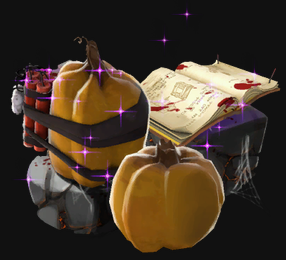
Halloween Event
The Halloween Event is a period of several weeks around Halloween (late October/early November) when the Halloween Event maps (only) have extra features:
- Players on any Halloween Event map drop Halloween Pumpkins when killed.
- Picking them up refills your ammo/metal and grants a short full-crit boost.
- Picking up 20 of them (from any map) will unlock the Mildly Disturbing Halloween Mask.
- A Haunted Halloween Gift can appear on Mann Manor, Eyeaduct, Ghost Fort, Helltower, and Carnival of Carnage.
- Picking it up will earn you different items, depending on the map.
2. The Haunted Halloween Special (2009)
 The first annual Halloween Event launched the following features:
- Harvest, a KOTH (king of the hill) map.
- Harvest Event, its Halloween Event counterpart, also a KOTH map.
- Scarechievement achievements that can be earned.
- Completing certain achievements could earn you Halloween-themed cosmetic items.
- Halloween Pumpkins are powerups dropped by players who die on any Halloween map. It refills ammo/metal and grants a short crit boost. Picking up 20 of them (from any map) will unlock the Mildly Disturbing Halloween Mask.
- Pumpkin Bombs deal up to 140 damage (area-effect) to anyone standing nearby when they take any damage.
- The Ghastly Gibus was earned by the first 11,111 users to find a secret page in the splash pages of the event. Since then, anyone who dominates a player wearing the Ghastly Gibus will earn the “Ghastly Gibus Grab” Scarechivement, as well as that year’s current incarnation of the hat. You can still earn a version of this non-tradable hat by earning the achievement, regardless of what map you’re on when completed.
- The Gentle Mann’s Service Medal was also earned by the first 10,319 users to find a second secret page. This is item is now Limited (Market page).
Harvest
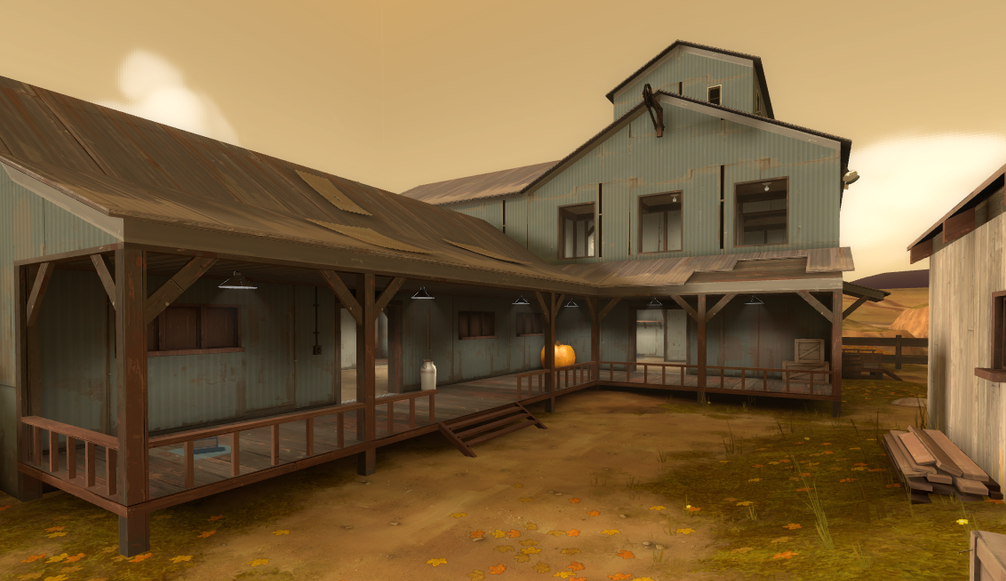
Harvest (koth_harvest_final) is a relatively simple map, fall-themed with pumpkins and carts, with only one central point inside a building in the center of the map. It is one of the easiest maps to learn.
Harvest Event
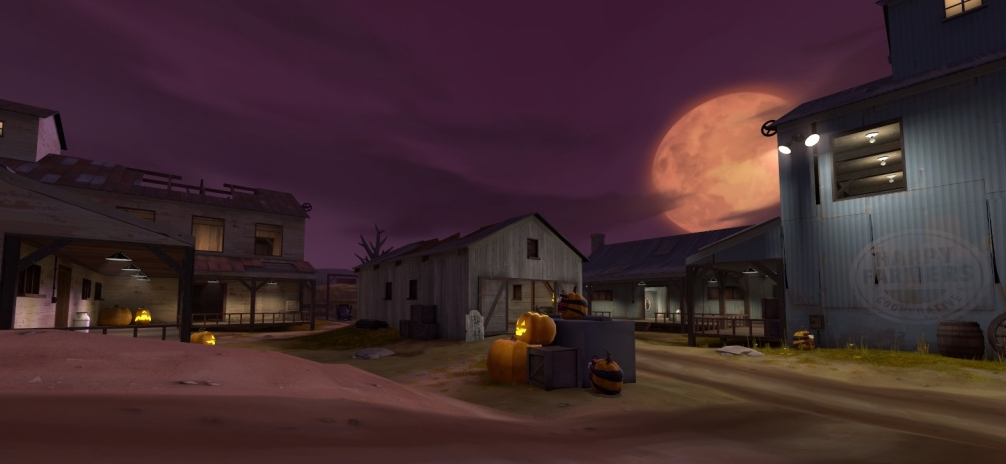
Harvest Event (koth_harvest_event) is essentially a darker, spookier version of the same map, featuring explosive pumpkin bombs (shoot to detonate), and a ghost haunting the building in the center occasionally. If you haven’t played any Halloween maps before, give Harvest Event a try.
The ghost is Zephaniah Mann. This is his land–he is the original owner of the land, and the father of Redmond and Blutarch. If he touches you, he stuns you for a couple of seconds. Say hello!
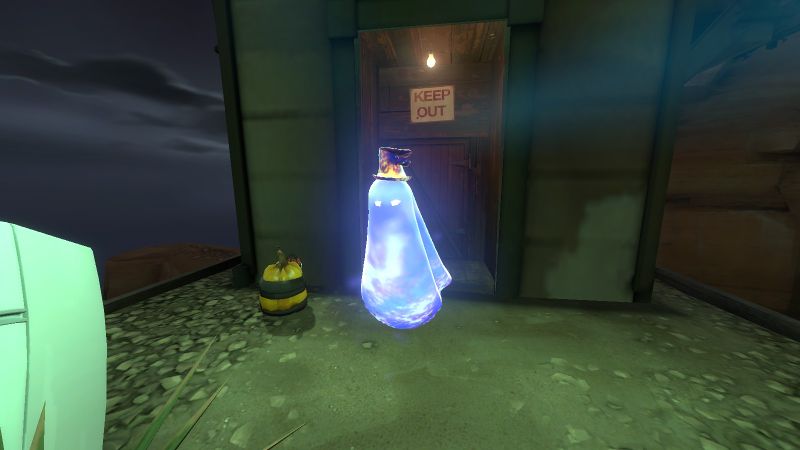
During the annual Halloween Event, Halloween Pumpkins also drop from killed players, and Pumpkin Bombs lie in various players on the map.
3. The Scream Fortress Update (2010)
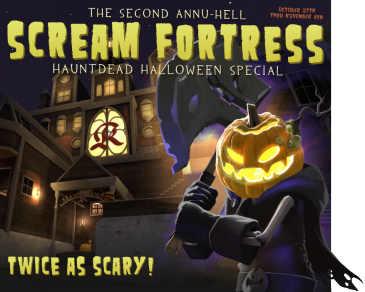 The second annual Halloween Event launched the following new features:
- Mountain Lab (
cp_mountainlab), a new asymmetric control point map. - Mann Manor (
cp_manor_event), Mountain Lab’s Halloween Event counterpart. - Retrieving the Haunted Halloween Gift on the Mann Manor map will grant one of nine Halloween Masks, one of each class but can be worn by any class.
- The Horseless Headless Horseman (the “HHH”) haunts Mann Manor. Killing him for the first time can earn you a single Haunted Metal Scrap.
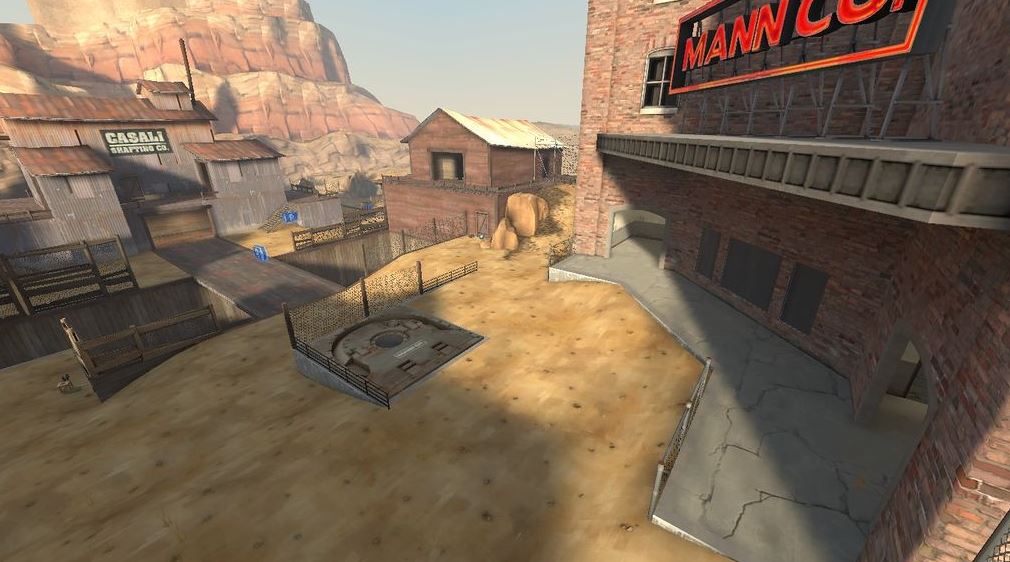
Mountain Lab
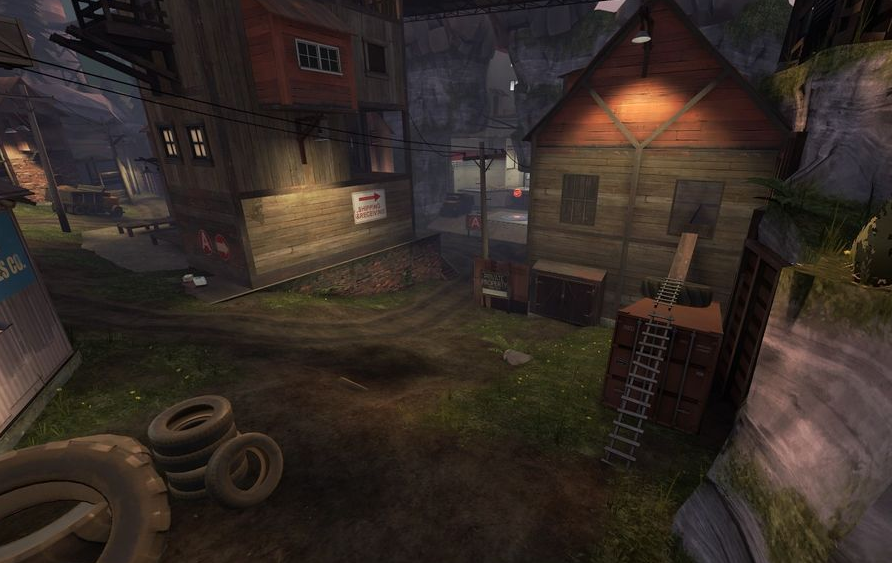
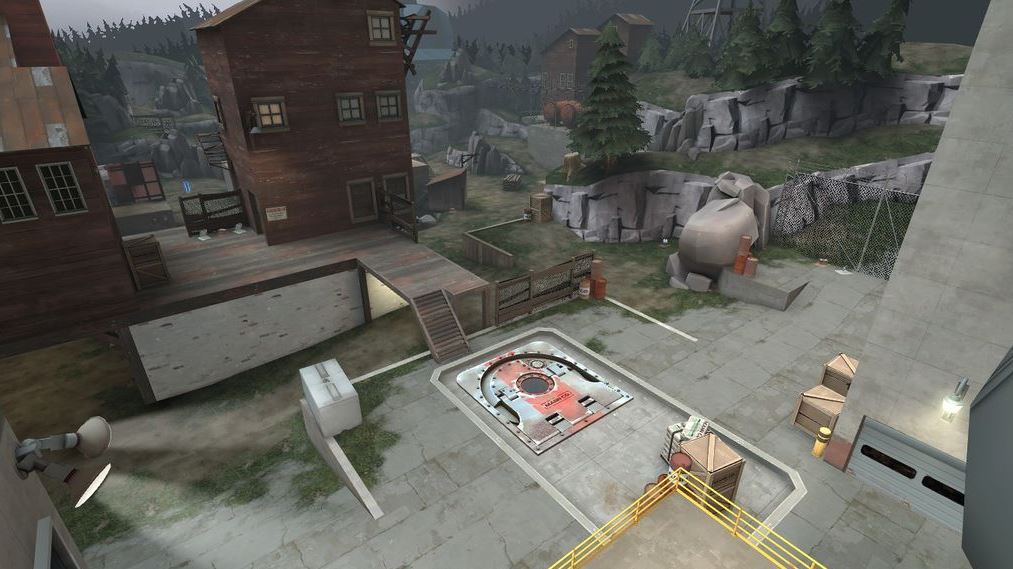
In Mountain Lab, BLU leaves from a large house and must capture three points in order while the RED team defends a laboratory in the daytime.
Mann Manor
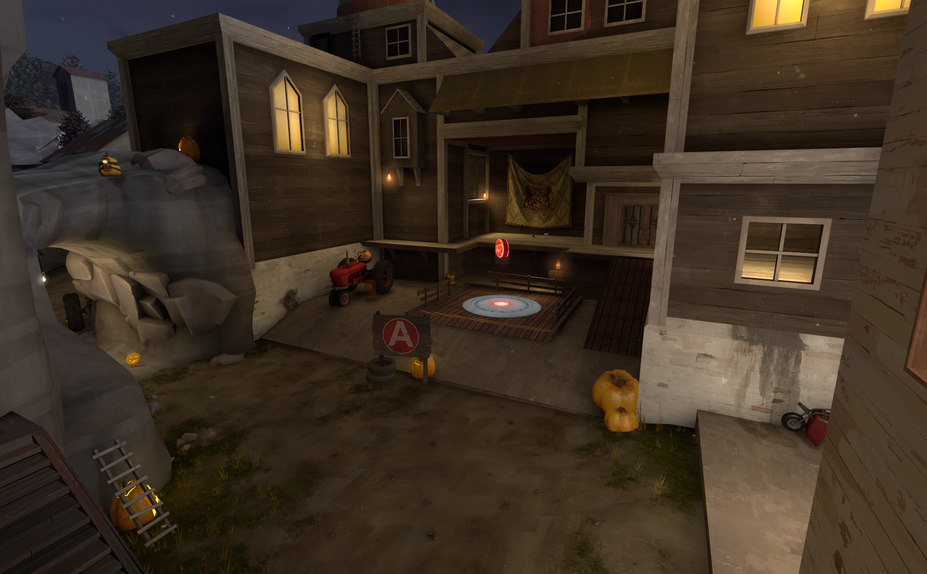
In Mann Manor, RED defends an old haunted house at nighttime. The first “boss monster” of TF2, the Horseless Headless Horsemann, spawns at the current contested capture point about every 8 minutes and goes on a rampage. Say hello to old Silas Mann before he one-hits you!
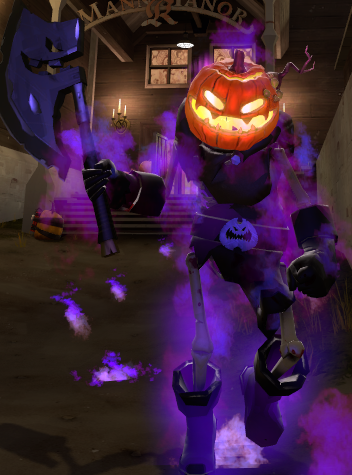
The HHH will choose a random player as “It”, and he will chase and slay that player, unless you can avoid getting killed long enough, get killed, OR “tag” another player with a melee weapon hit. The HHH can also be killed.
During the annual Halloween Event: Pumpkin Bombs fill the map, Halloween Pumpkins are dropped by killed players, and the Haunted Halloween Gift will spawn at fixed locations around the map.
4. The Very Scary Halloween Special (2011)
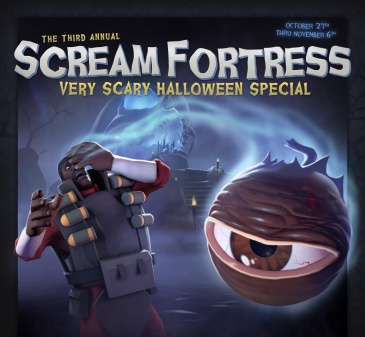 The third annual Halloween Event offered Eyeaduct, a reskinned Viaduct map, and introduced the following features:
- Eyeaduct, a reskinned KOTH map of Viaduct, with two hidden areas: Underworld and Loot Island.
- A Halloween Goodie Cauldron will be given to any player who logs in to TF2 during any Halloween Event, but only once ever.
- Introduced the Monoculus boss.
Eyeaduct
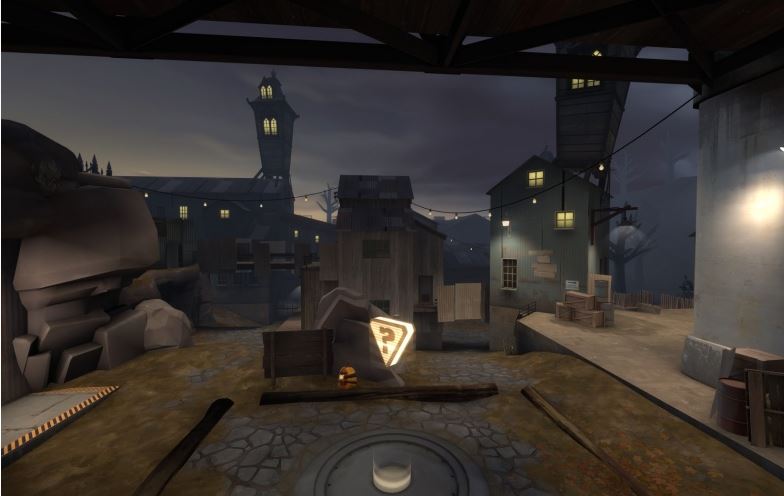 Eyeaduct (
koth_viaduct_event) is the Halloween Event version of the mostly symmetrical King of the Hill map Viaduct. Except now, you have to contend with MONOCULUS!
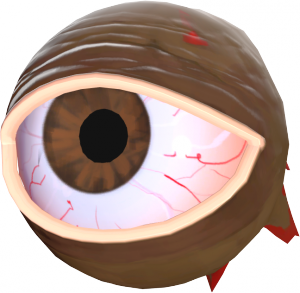 This angry floating eyeball-boss appears every 3 minutes, and prevents the capture of Eyeaduct’s point while it exists. It teleports around, leaving behind portals that go to the Underworld.
Defeating Monoculus (dealing the killing blow) for the first time will earn you the all-class hat of the same name. But wait! It will return in 3 minutes, stronger than before (unless it escapes)! Each level of Monoculus gives is more health and a faster attack rate.
Underworld
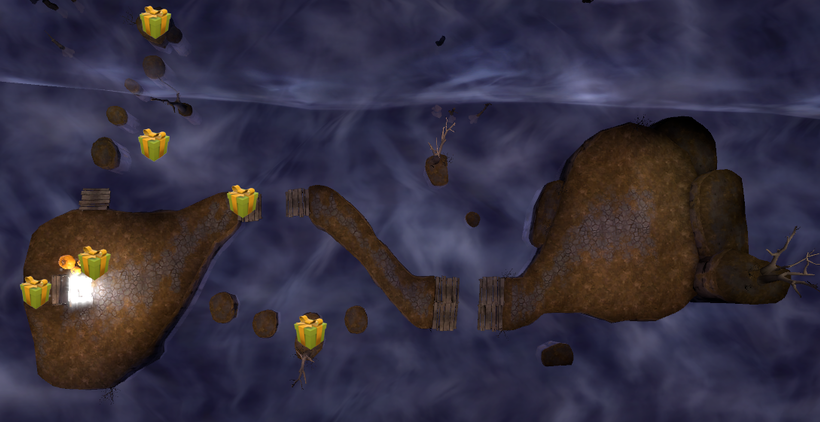
The Underworld is a dangerous place, continually draining your health.
If you manage to escape, you’ll become temporarily buffed, and your attacks will stun Monoculus if you hit it while under its effects.
During the Halloween Event, Halloween Pumpkins are dropped by killed players, and the Haunted Halloween Gift will spawn at fixed locations around the map. Any accessories found in Gifts from the Underworld will be Haunted quality. Also, killing Monoculus and entering its portal will take you to Loot Island instead of the Underworld!
Loot Island
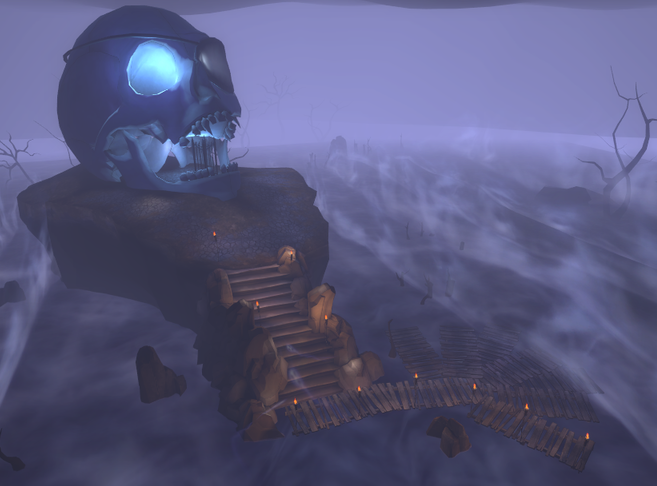
Unlike the Underworld, Loot Island doesn’t damage you over time, and it has a book “portal” for you to jump into to return to the Eyeaduct map.
During the Halloween Event, if you can reach the book in time, you can earn the Bombinomicon all-class accessory! If not in time, you’ll die.
5. The Fourth Annual Spectral Halloween Special (2012)
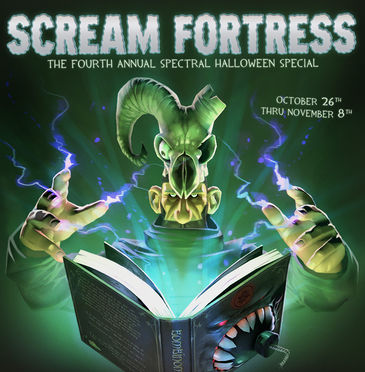 The fourth annual Halloween Event brought a host of new content for Team Fortress 2:
- Ghost Fort, a reskinned Lakeside map.
- Merasmus, a wizardly boss who blasts you with magic, makes you dance at his whim, spins a wheel of random magic effects, and taunts you repeatedly.
- Halloween spells are temporary powerup abilities you can strategically use in battle.
- Wave 666, a reskinned MvM map with waves of difficult zombie bots
- Another collection of Halloween cosmetics.
Ghost Fort
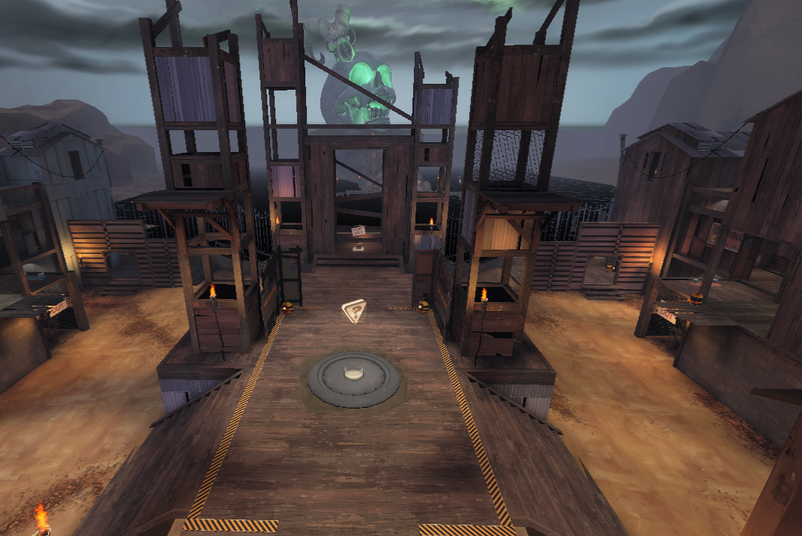
Ghost Fort (koth_lakeside_event) is the Halloween Event version of the desert-themed Lakeside King-of-the-Hill map. (Hard to recognize, isn’t it?) Ghost Fort’s layout is slightly altered from Lakeside, with upper platforms around the central control point, and the enclosed room with the pool of water replaced with a “bottomless” pit. Also, a team must control the central point for 7 minutes, instead of the usual 3 minutes.
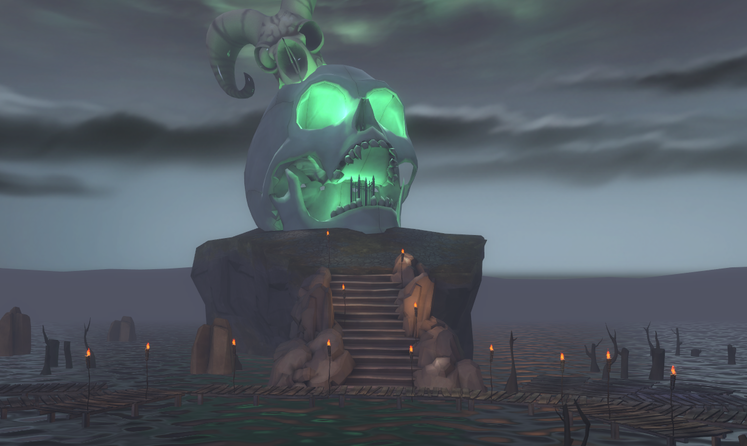
Merasmus also haunts, continually harassing players. If you get turned into a bomb, rush the wizard to stun him and gain a buff. Twice before he dies, Merasmus will disappear and disguise himself as a random furniture prop. If defeated, he opens a portal to Skull Island.
During the Halloween Event: Halloween Pumpkins are dropped by killed players, and the Haunted Halloween Gift will spawn at fixed locations. Also, killing Merasmus opens a portal to
- Halloween Pumpkins are powerups dropped by players who die on any Halloween map. It refills ammo/metal and grants a short crit boost. Picking up 20 of them (from any map) will unlock the Mildly Disturbing Halloween Mask.
- The Haunted Halloween Gift will spawn on Ghost Fort under the same conditions as Mann Manor (see above). On the Ghost Fort map, however, the Gift grants either a Halloween Spell, a Voodoo-Cursed Item, or (rarely) a Halloween-themed cosmetic item. See below for the details on these.
- The control point has been enchanted to spin the “Wheel of Fate” each time the central control point is capped. The random result of the spin affects the players of both teams with wacky powers.
- Halloween Spells are tool items used to give various effects to weapons, cosmetic items, or classes. Remember, these spell effects permanently affect an applied item, but the effects are not visible except during Halloween/Full Moon Mode.
Skull Island
Ghost Town and Wave 666
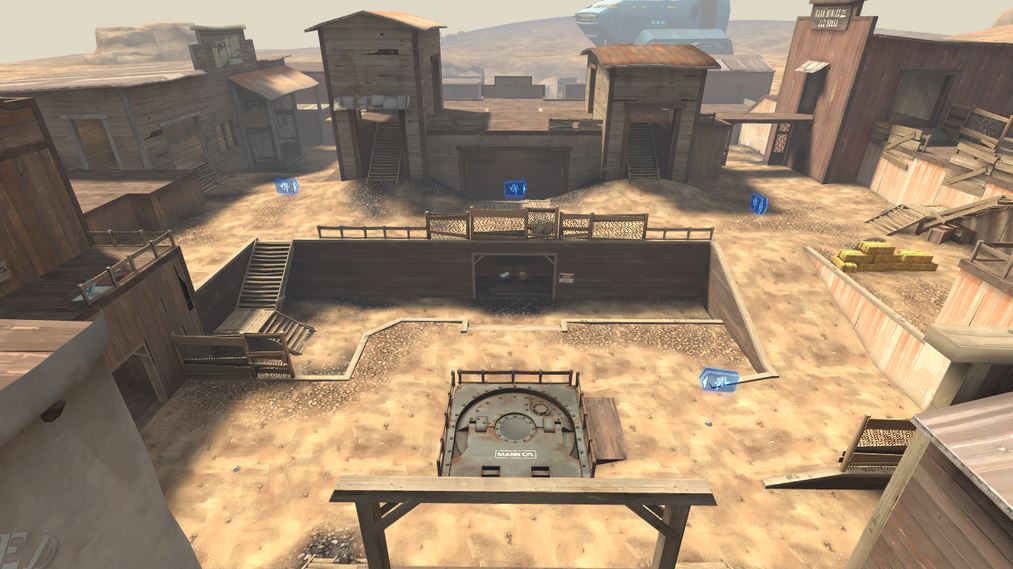
What, Advanced-level MvM matches too easy for you? Then fill your Upgrade Canteen with Ammo Refills and head to Ghost Town (mvm_ghost_town), a reskinned, nighttime Coal Town that WILL DESTROY YOUR FACE with zombie bots. Six-hundred and sixty-six of them, in fact–and they are Expert level, which is harder than anything MvM can throw at you. It’s beatable, but you’re probably gonna die to the zombie apocalypse, so you might as well die with an empty clip and a broken sentry.
6. The Scream Fortress Fifth Annual Helloween Special (2013)
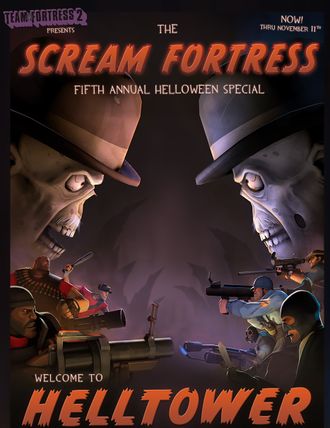
The fifth annual Halloween Event offered Helltower, a variation on the Payload Race map Hightower, over a hundred new cosmetic items, and a few new tool items.
Helltower
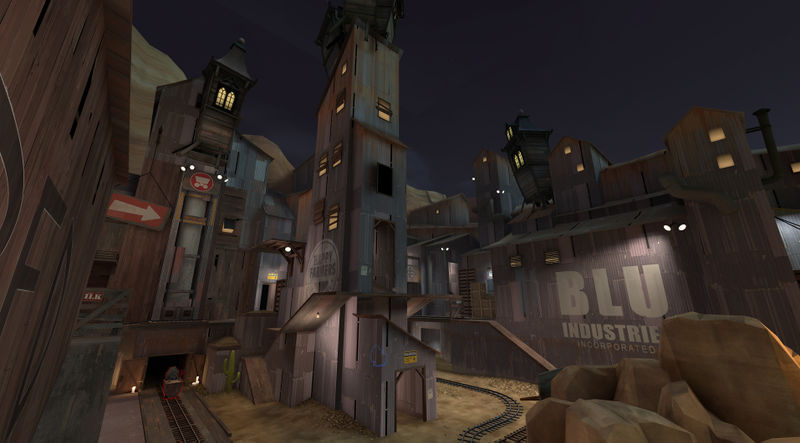 Helltower (
plr_hightower_event) is the Halloween-themed version of Hightower, with a Clocktower replacing the building above the chasm. Since it is a Payload Race map, you try to push your cart while preventing your opponents from doing the same. When one side wins, everyone teleports to a mock Hell and try to kill off the other side one last time to win.
- Halloween Pumpkins spawn on all Halloween maps. If picked up by touching it, it refills ammo/metal and grants 3.2 seconds of crit boost. Picking up 20 Halloween Pumpkins (from any map) would unlock a hat, the Mildly Disturbing Halloween Mask, a paper bag that has a different face depending on which class wears it at the time. You can still earn this non-tradable hat.
- The Haunted Halloween Gift will grants one or more of the following:
- One of the many Halloween 2013 cosmetic items; unlike purchased cosmetics, these freebies will be uncraftable and untradable
- Spellbook Pages, which can be placed into a Spellbook (see below)
- A Costume Transmogrifier tool item, which will convert one Halloween 2013 costume item into another
- Occasionally, the Clocktower will toll a bell to announce the Witching Hour, during which hostile Skeletons will spew forth from the temporary glowing bridges of the Clocktower. During that time, players can access a Book of Rare Spells at the Clocktower.
- You can pick up and cast Magic Spells!
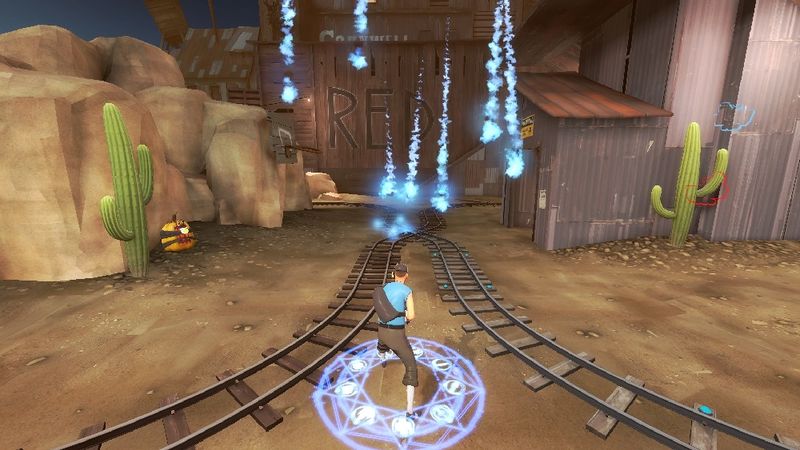
Helltower Magic Spells
Magic Spells are temporary powerups granting special abilities, and are not usable until you equip a Spellbook Magazine, Fancy Spellbook, or Fireproof Secret Diary. They are retained when you die, but they are lost after being cast. You must cast the spell you currently have before you can pick up another.
- Regular Magic Spells on Helltower:
- (EDIT: Restored spell lists to the previous settings.)
- A two-charge Fireball that shoots a ball of fire that also causes afterburn
- A three-charge Teleport that shoots a ball that teleports you to the ground it impacts on
- A two-charge Superjump (with small health boost)
- A single Healing Aura that grants 1-second invulnerability and 3-second fast healing
- A two-charge Ball of Bats that explodes into a cloud of bats that cause bleeding
- A single-charge Pumpkin MIRV that launches a volley of pumpkin bombs that you or your team can shoot to explode
- A single-charge Invisibility that grants 8-second invisibility, even while attacking, but you cannot push the cart while cloaked
- Rare Magic Spells can only be found at the Clocktower’s Book of Rare Spells during the Witching Hour, defeating a Skeleton King, or found randomly in Hell. They include:
- A mini-Monoculus is summoned to attack your enemies for 8 seconds
- Three Skeletons are summoned to attack your enemies
- A single-charged Ball Lightning that damages and pulls targeted enemies for a short while
- A Meteor Shower attacks the impact area after an initial fireball
- Minifies the caster to a tiny body and a big head, granting unlimited jumping and increased movement/attack/reload speeds
- One of the other standard Spells
7. Scream Fortress VI (2014)
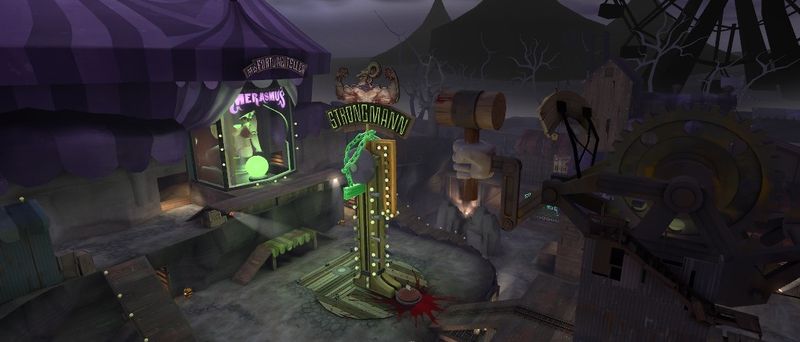
Merasmus’s Carnival of Carnage [sd_doomsday_event] is a Halloween Event map, and a reskin of Doomsday, Valve’s only official-to-date Special Delivery map. Compete to be the team to raise a suitcase full of tickets to the top of the Strongmann Machine, while Merasmus launches snarky comments and global curses at everyone.
Curses
Under construction….
Updated 11/5/14: Merasmus’s curses remove all projectiles and empties sentries of ammo whenever players are teleported to the main point of the map.
Carnival of Carnage Magic Spell List
Magic Spells are temporary powerups granting special abilities, and are not usable until you equip a Spellbook Magazine, Fancy Spellbook, or Fireproof Secret Diary. They are retained when you die, but they are lost after being cast. You must cast the spell you currently have before you can pick up another.
- Regular Magic Spells on Carnival of Carnage:
- A two-charge Fireball
A three-charge Teleport- A two-charge Superjump (with small health boost)
- A single Healing Aura that grants 1-second invulnerability and 3-second fast healing
- A two-charge Ball of Bats that explodes into a cloud of bats that cause bleeding
- A single-charge Pumpkin MIRV
- A single-charge Invisibility that grants 8-second invisibility
- Fires a Tesla Bolt that damages and pulls targeted enemies for a short while
- A Meteor Shower attacks the impact area after an initial fireball
- Minifies the caster to a tiny body and a big head
- Bumper Car Spells can be gained and cast during the Carnival Underworld mini-game, and include:
- Bombinomicon Head: Deals 50 damage to you if the timer runs out. If you run into an enemy, removes the timer and damages/knocks back the enemy instead.
- Boxing Rocket: Shoots a giant boxing glove as a rocket.
- Uber Heal: Removes 50% of your damage taken only
- Parachute: Launches you into the air then lets you float down slowly
For starters, make sure to read this post by Valve about what’s coming. And then there’s this splash page….
Bumper Cars in a Carnival Underworld
Akin to a game of Super Smash Bros., players drive around on bumper cars trying to either ghostify the entire enemy side, or complete the objective in one of three mini-games. Bumper cars are receive greater knockback as they take on further damage, and players who fall off the track turn into ghosts.
If you’re ghosted, hold down your jump button to fly, and if you can touch one of your allies, you will return your bumper car to the game!
The three mini-game modes are:
- “Falling Platforms”: Random platforms just start falling, so try to stay on the last one!
- Spells are disabled in this minigame only.
- If there is only one platform remaining, the Horseless Headless Horsemann appears in an attempt to make players fall off.
- “Bumper Car Soccer”: Both teams try to push a beach ball into their opponents’ goal three times to win.
- After 45 seconds, the Horseless Headless Horsemann is summoned to try to force the end of the minigame.
- “Duck Collectors”: Both teams run around on a figure-eight track trying to collect 200 rubber duckies as a team to win.
- Hitting opponent cause 2-point golden duckies to fly out of their rammed car.
8. The Comics For Each Halloween Special
The story may be ridiculous, but knowing the story will make your battles on the Halloween maps make a little more sense. Maybe? Yes. Probably. If you squint. That said, here are the comics to catch you up with why you are, in fact, shooting down a giant eyeball of hate and casting spells from a dog-eared periodical:
Halloween 2011: “Bombinomicon”
Halloween 2012: “Doom-Mates”
Halloween 2013: “Grave Matters”
Halloween 2014: “Blood Money”
9. List of Items…?
This part is under construction. Fixing it SOON.
The Ghastly Gibus was earned by the first 11,111 users to find a secret page in the splash pages of the event. Since then, anyone who dominates a player wearing the Ghastly Gibus will earn the “Ghastly Gibus Grab” Scarechivement, as well as that year’s current incarnation of the hat. You can still earn a version of this non-tradable hat by earning the achievement, regardless of what map you’re on when completed.
Halloween Pumpkins are powerups dropped by players who die on any Halloween map. It refills ammo/metal and grants a short crit boost. Picking up 20 of them (from any map) will unlock the Mildly Disturbing Halloween Mask.
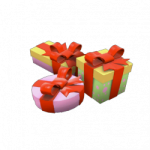
The Haunted Halloween Gift will randomly spawn, choosing a player on the server. The Gift spawns only at several predetermined locations. Only the chosen player will be able to see the lime-green gift box, and has 3 minutes to retrieve it before it disappears. If picked up, that player cannot earn another for at least 45 minutes of playing time, while the gift respawns for someone else in 30 seconds. (The Gift will not spawn unless there are at least 10 non-bot players on the server.)
For the Gift to spawn, must be a registered server with at least 10 players on the server.
- Retrieving the Haunted Halloween Gift on the Mann Manor map will grant one of nine Halloween Masks, one of each class but can be worn by any class. Multiple copies of these masks can be collected, and by collecting one of all nine masks, a Saxton Hale Mask can be crafted. Unlike the Halloween Masks, the Saxton Hale Mask does not have a Halloween/Full Moon holiday restriction, so it can be worn at any time.
- The Haunted Halloween Gift will spawn on Eyeaduct under the same conditions as Mann Manor (see above). On the Eyeaduct map, however, the Gift grants one of 27 Halloween Costume 2011 cosmetic items. Any Gifts found in the Underworld will be Haunted quality.
- The Haunted Halloween Gift will spawn on Ghost Fort under the same conditions as Mann Manor (see above). On the Ghost Fort map, however, the Gift grants either a Halloween Spell, a Voodoo-Cursed Item, or (rarely) a Halloween-themed cosmetic item. See below for the details on these.
Halloween Spells
This update also launched the collection and usage of Halloween Spells. They are obtained by picking up Halloween Haunted Gifts–the green-yellow gifts that can drop for you about once every forty-five minutes, that only you can see.
NEW! As of 10/13/14, these tool items are now tradable!
Halloween Spells are tool items used to give various effects to weapons, cosmetic items, or classes. Remember, these spell effects permanently affect an applied item, but the effects are not visible except during Halloween/Full Moon, Halloween maps, and servers that have Halloween mode turned on. They can only be found on Ghost Fort. There are four kinds of Halloween Spells:
- Footprint Effects (hat-slot item): Causes the equipped player to leave behind glowing footprints of a certain color.
- Paint Effects (any cosmetic item): Causes the equipped cosmetic item to color-change from its original color, to a specific color, then back again.
- Vocal Effects (a hat equippable by a specific class): Causes the equipped player’s voice to be lowered, similar to the Big Head curse.
- If applied to an all-class hat, its effect will work for any wearer.
- Weapon Effects (specific weapons): Causes the equipped weapon to have specific effects, such as pumpkin-shaped projectiles and ghostly particles rising from dead enemies.
Voodoo-Cursed Items are also funky-looking tool items. Their purpose is to collect 7 of one kind, then use them to craft a Pile of Curses.
In turn, a Pile of Curses is a tool item that you can open like a crate, but without needing a key. When opened, it drops one of 9 Voodoo-Cursed Souls–a cosmetic (Halloween/Full Moon restricted) item that changes the appearance of one of the nine classes into a zombie. There is a chance that the Soul will be Haunted quality. In addition there is a chance that a Halloween Spell may drop as well as the Soul. (Previously, Eerie Crates were also a possible drop, but they were retired after the Halloween 2012 event; the cosmetics from that crate are still purchasable from the Mann Co. Store).
The Haunted Halloween Gift will spawn on Helltower under the same conditions as Mann Manor (see above). On the Helltower map, however, the Gift grants one or more of the following:
- One of the many Halloween 2013 cosmetic items; unlike purchased cosmetics, these freebies will be uncraftable and untradable
- Spellbook Pages, which can be placed into a Spellbook (see below)
- A Costume Transmogrifier tool item, which will convert a chosen Halloween 2013 costume item into another costume item from the same group that is equippable by the given class (i.e. a Soldier Costume Transmogrifier could convert a Scout’s “Hound’s Hood” into a Soldier’s “Shaolin Sash”).
The winning survivors can then march over to Skull Island and unlock the Bereavement achievement “Hat Out of Hell”, gaining an “Unfilled Fancy Spellbook” action slot item.
- Putting at least three Spellbook Pages into it changes it into a Fancy Spellbook action slot item, but otherwise has no (apparent) additional function.
Bosses
The Horseless Headless Horseman (the “HHH”), haunts Mann Manor. About every 8 minutes, he spawns at the currently contested control point and goes on a rampage, quickly running up to and killing players on both teams with his gigantic axe. He targets a nearby random player, which declares that player “It”. That player will be the first to die unless s/he either manages to avoid getting killed for 30 seconds, or hits an enemy player with a melee weapon, “tagging” that player with the “It” status. Occasionally it will also taunt, stunning all nearby players for a few seconds in fear (unless they’re wearing the Saxton Hale Mask or the Horseless Headless Horsemann’s Head). He is immune to all on-hit effects and all status effects.
The Horseless Headless Horsemann (the “HHH”) has lots of health, which is based on the number of players on the server, and can be harmed by players from both teams. If killed, he will not respawn for another 8 minutes, and kill credit will go to the last three players to damage it. Getting kill credit on the HHH for the first time will earn you the “Gored!” Ghostchievement, a you-only-get-one-ever Haunted Metal Scrap, which in turn can be used to craft either the Horseless Headless Horsemann’s Headtaker melee weapon for the Demoman, or one of three random styles of all-class, tradable skull-themed hats.
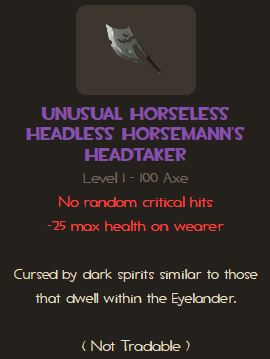
The HHH Headtaker functions just like the Eyelander, gaining strength as you earn heads of slain enemies.
- Like Mann Manor, Eyeaduct has its own unique “boss monster”: the Monoculus! It appears about every 3 minutes from the start of the round or its last appearance. When it spawns, the point resets to neutral ownership and cannot be captured. This giant eye-boss shoots barrages of eyeball crit rockets, and gets temporarily angry when critically hit. It teleports around the map, and when it does so, it leaves behind a portal leading to the Underworld where the player can reach the other side to earn a powerful invulnerability/crit/speed buff. Monoculus must be defeated within 2 minutes, or it escapes without being successfully killed. Regardless of outcome, it will respawn once more in about 3 minutes; each time Monoculus is killed (until the map restarts), Monoculus level increases by one as it becomes stronger!! Naturally, getting your opponents to work together to defeat Monoculus can be difficult.
- If Monoculus is killed, it creates a giant portal to the Underworld. Players entering the portal must quickly run to Loot Island to reach the Bombinomicon book in time. Reaching the Bombinomicon unlocks the “Dive Into a Good Book” Eye-chievement and the Bombinomicon cosmetic item. Being present on a server when Monoculus is killed unlocks the “Optical Defusion” Eye-chievement and the Monoculous head-replacing cosmetic item.
- Merasmus also haunts Ghost Fort is the Soldier’s former roommate and very cantankerous wizard, Merasmus. He appears every few minutes and continually harasses the players and interrupts play. The wizard prefers to float in midair near the control point, but will teleport randomly, whacking players with his staff, launch volleys of bombs, and cast a spell that both ignites you and launches you into the air. When Merasmus teleports, several players will have their heads replaced with a bomb, which will certainly explode unless you reach the wizard in time. The bombs then stun the wizard and grant you a short invulnerability/crit/speed buff. Twice before he dies, Merasmus will disappear and disguise himself as a random furniture prop, similar to the PropHunt game mode or Hide and Seek.
- Merasmus must be killed within one-and-a-half minutes, or he will escape. If defeated, he opens a portal to Skull Island for a few seconds, where players can climb the island to earn the Necromannchievement “Wizards Never Prosper” and the Skull Island Topper all-class hat. Merasmus will then return in a few minutes, having gained a level and thus stronger. The Skull Island Topper hat will record the highest-level Merasmus you have witnessed defeated. If not defeated, Merasmus will reset to level one. (Hint: Headshotting Merasmus with the Huntsman sniper bow is very effective!)
- All those who succeed in returning from Skull Island in time will gain the invulnerability/crit/speed boost for a short time.
HOLY SNAP this has been a lot of work!
[N] Obey
 Over 25k lifetime hits!